Testbereit
1. Choose your Bundesland and help language
When you open Testbereit for the first time, it asks three things:
- Your study help language. It is used for translations and explanations. The questions themselves stay in German, as in the real test.
- Where you live. The 10 questions of your Bundesland are added to the 300 general ones, so your catalog holds exactly the 310 questions you need.
- A daily reminder, if you want one, at a time that suits you.
These are the 7 help languages:
The app itself is in English or German. You can change your Bundesland, help language and reminder later in Settings, and you never need an account.
2. Practise by topic, with translations
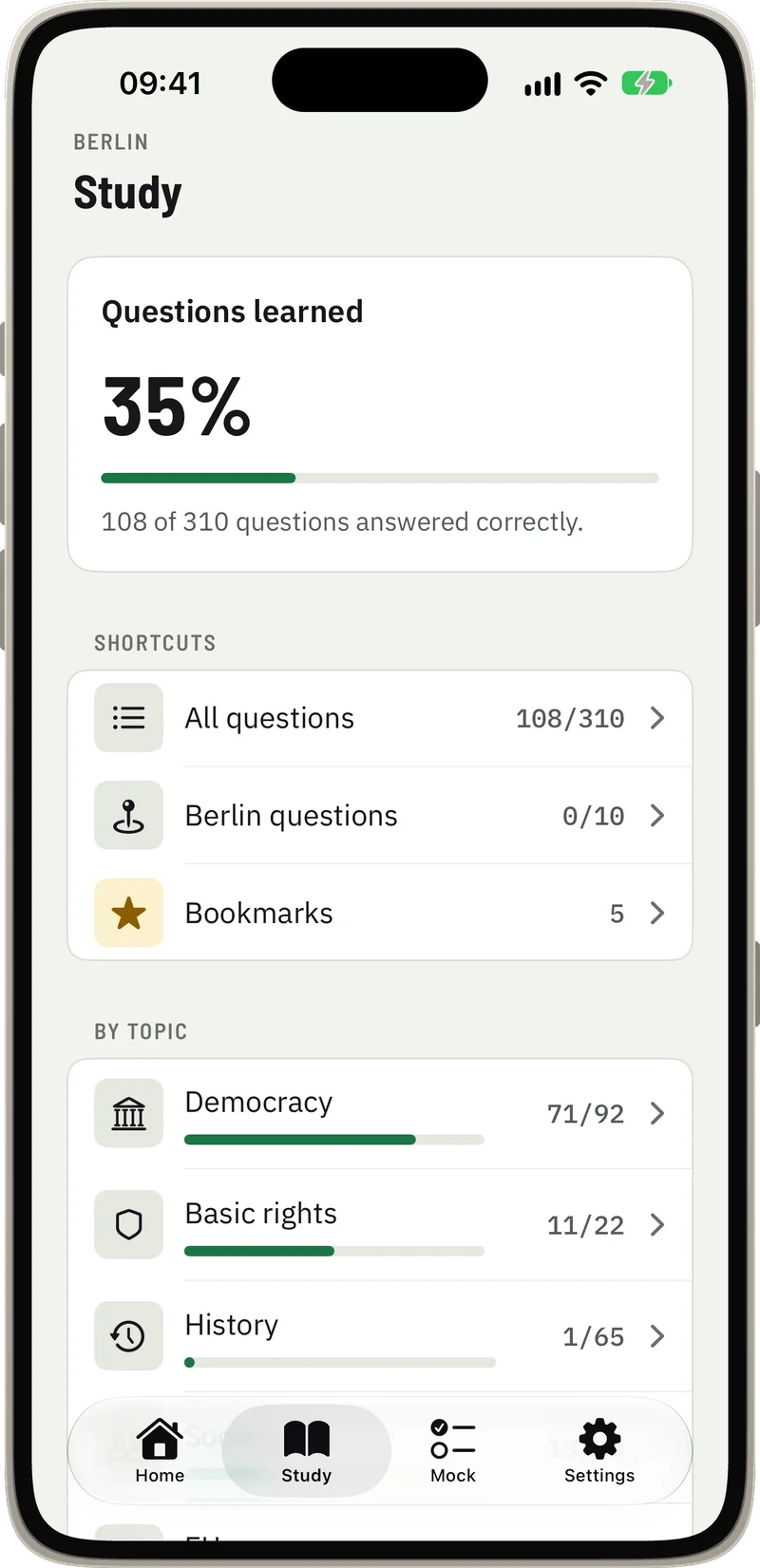
The Study tab is your map of the catalog: all questions, the questions for your state, your bookmarks and every topic with its progress. Pick a topic such as democracy, basic rights or history and work through it at your own pace.
Each question appears in German, word for word from the catalog, with its image if it has one. Tap Translate to see the question and all four answers in your help language, right under the German text. After you answer, you see at once whether you were right.
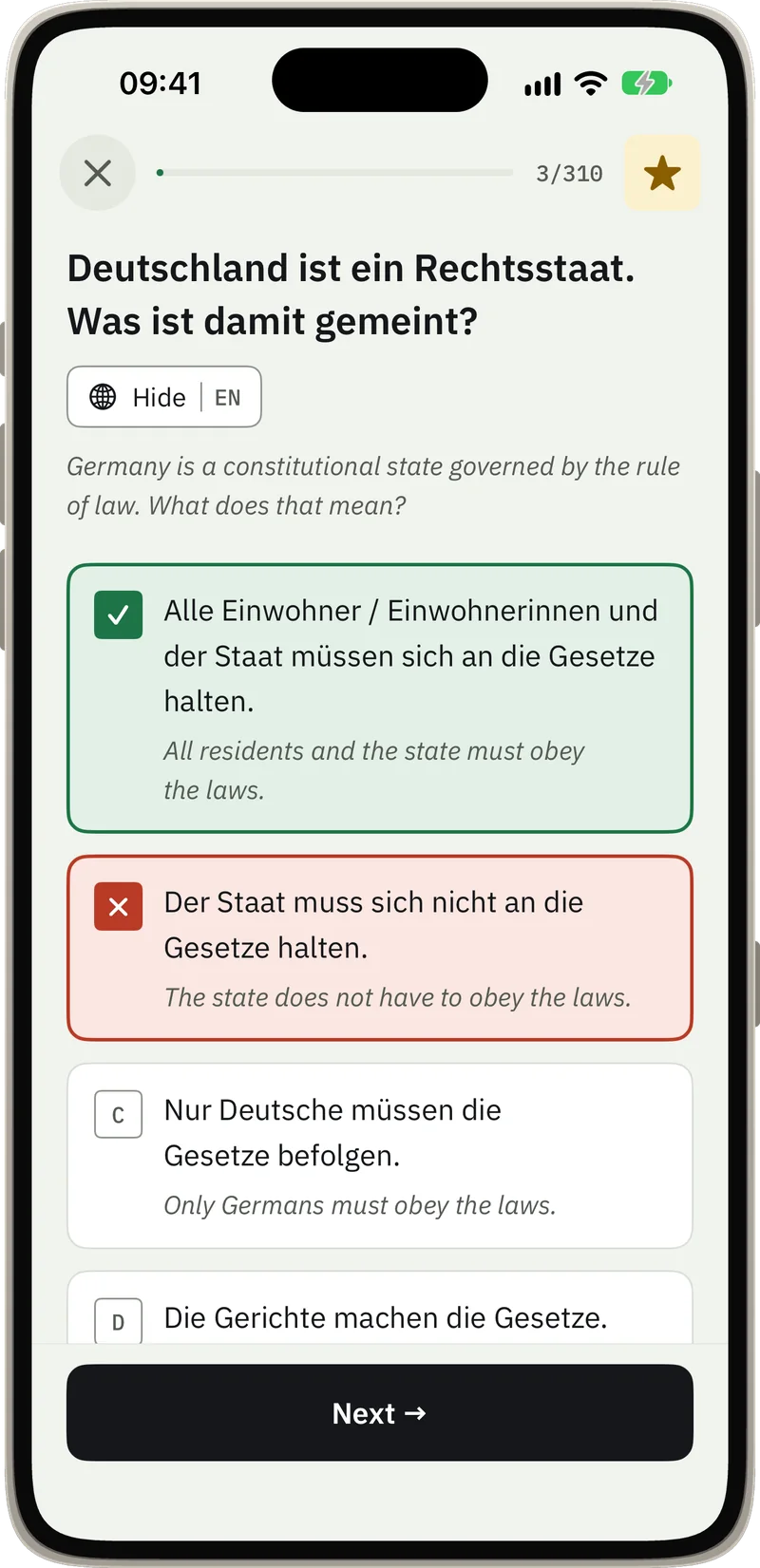
Free: practise all 310 questions without limit and use 5 translations a day. Premium: unlimited translations.
3. Review missed questions and bookmarks
Every question you get wrong goes onto your review list automatically, in practice and in mock exams. Start each session there. Clearing the questions you missed is the quickest way to improve.
Tap the star on any question to bookmark it. Bookmarks are handy for questions you got right by luck, or ones you want to see again before the test.
4. Take mock exams
A mock exam works like the real test: 33 questions, 30 general and 3 for your state, 60 minutes on the clock, passed from 17 correct answers.
- Questions stay in German, and you get no feedback until you submit.
- The question overview shows what you have answered, and you can jump to any question.
- Flag the questions you are unsure about and come back to them before you submit.
- Your result shows your score and how you did in each topic.
- Wrong and unanswered questions go straight to your review list.
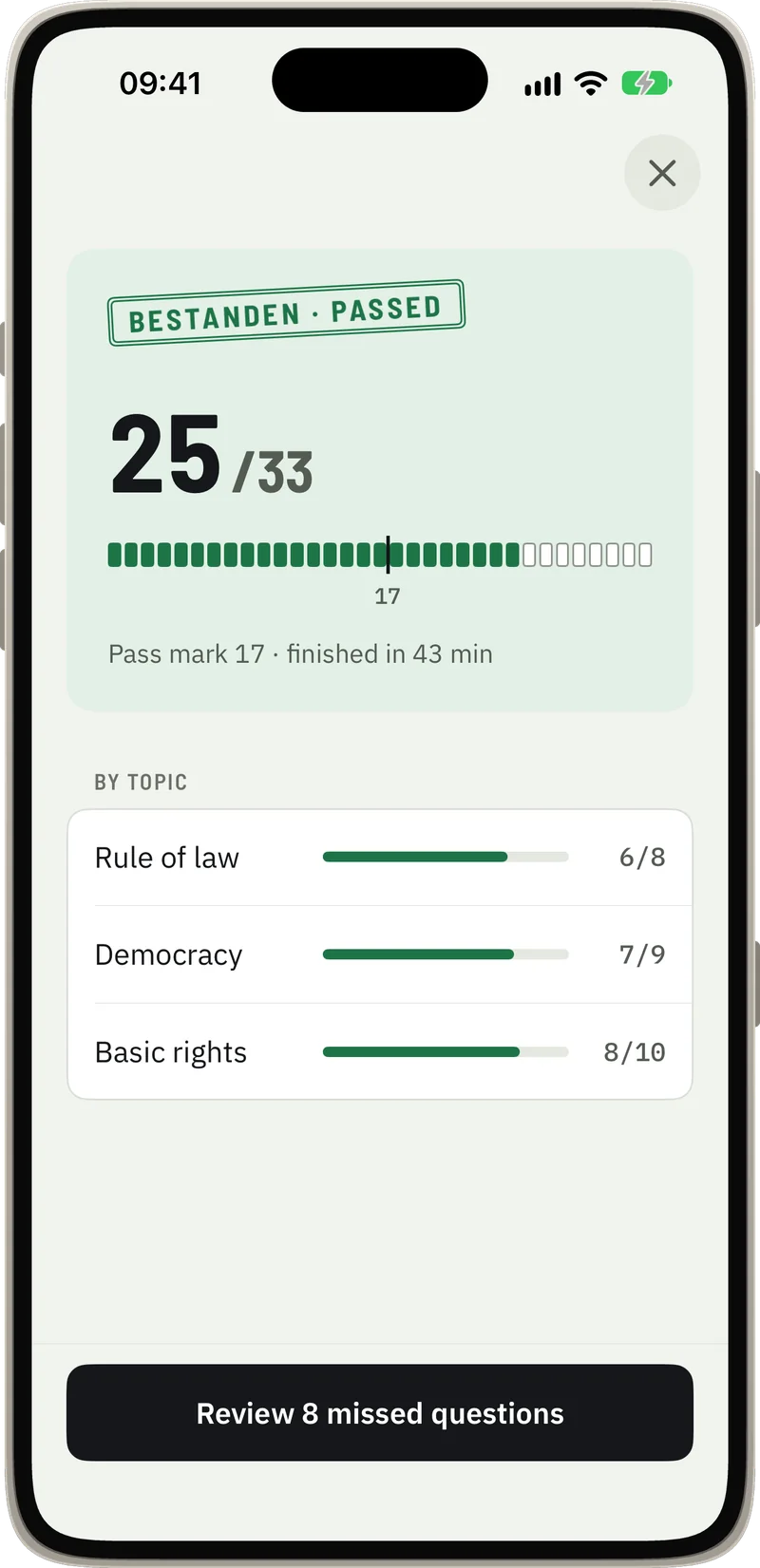
Free: 1 mock exam a week. Premium: unlimited mock exams.
5. Check your pass chance
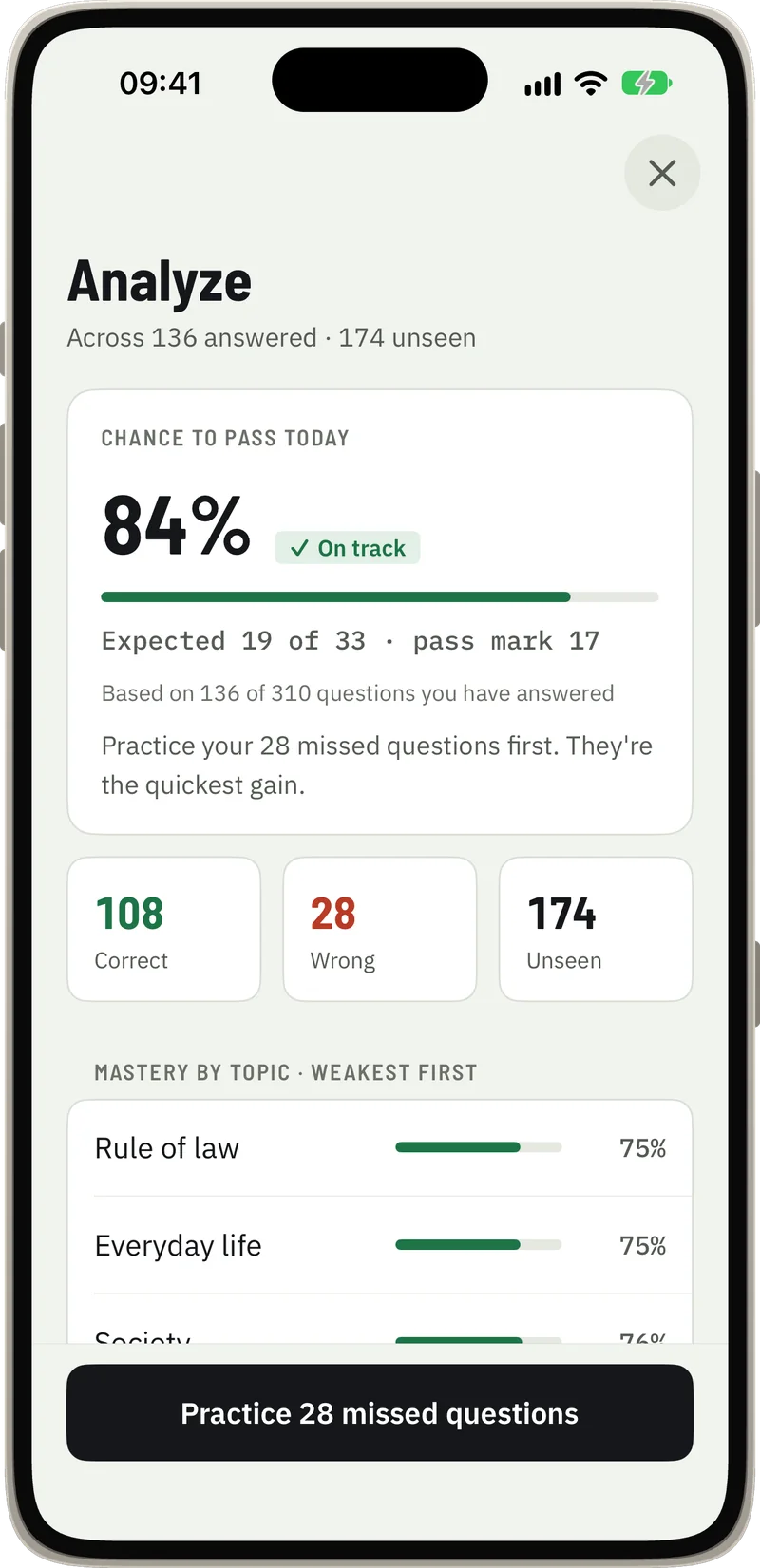
The Analyze screen estimates your chance to pass the test today and your expected score, based on your own answers. It also shows how many questions you have answered correctly, got wrong or not seen yet, and lists your topics from weakest to strongest.
The estimate grows with what you actually learn, so it tells you where to spend your next session. It is an estimate to guide your practice, not a guarantee.
6. Keep going: streak, reminder, widgets
Short daily sessions work better than one long session at the weekend. Testbereit helps you keep the habit:
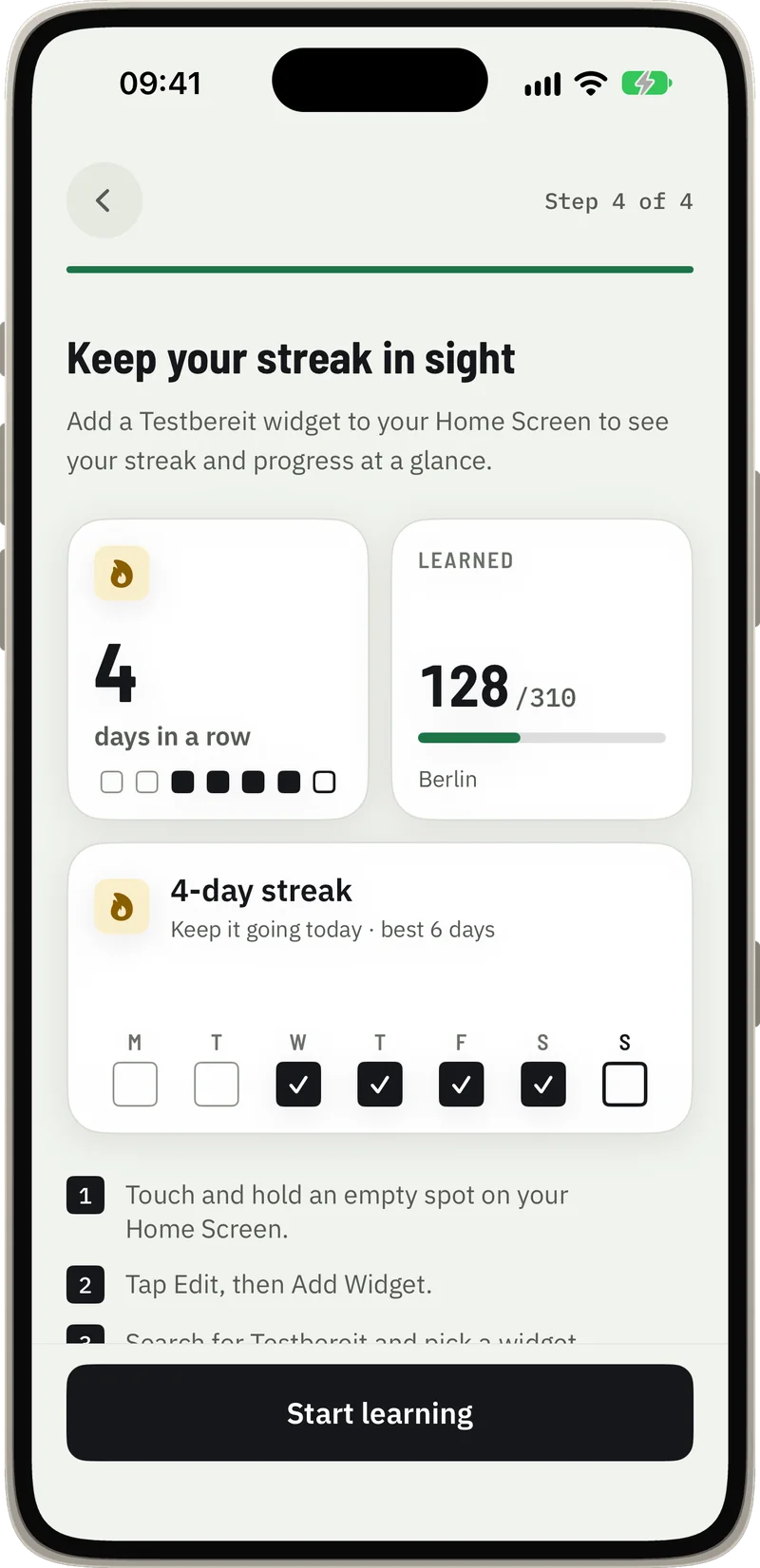
- A study streak with a weekly view on the Home tab.
- A daily reminder at the time and on the days you choose.
- Home Screen widgets that show your streak and how many questions you have learned.
Free and Premium
| Feature | Free | Premium |
|---|---|---|
| All 310 questions, by topic and for your state | Unlimited | Unlimited |
| Translations in 7 help languages | 5 a day | Unlimited |
| Mock exams (33 questions, 60 minutes) | 1 a week | Unlimited |
| Pass chance, review list, bookmarks | Included | Included |
| Streak, daily reminder, widgets | Included | Included |
Testbereit is free to download. Premium is an optional in-app purchase, either one-time or as a weekly subscription, and unlocks unlimited translations and mock exams. A subscription renews automatically until you cancel it in your Apple Account settings. More on the app's features is in our Einbürgerungstest app guide.
Privacy
Testbereit works without an account or sign-in. Your answers, progress and settings stay on your iPhone, and the app works offline. There are no ads and no tracking. Details are in our privacy policy.
Frequently asked questions
Do I need an account to use Testbereit?
No. There is no account and no sign-in. Your progress stays on your iPhone.
Does Testbereit work offline?
Yes. You can practise without an internet connection, and your progress is saved on your iPhone.
What is free in Testbereit?
All 310 questions without limit, 5 translations a day, 1 mock exam a week, your pass chance, the review list, bookmarks, streak, daily reminder and widgets. Premium is an optional in-app purchase that unlocks unlimited translations and mock exams.
Which languages does Testbereit support?
The app is in English and German. Translations of the questions are available in 7 help languages: English, Turkish, Arabic, Russian, Ukrainian, Persian and French. The questions themselves stay in German, as in the test.
Is Testbereit an official BAMF app?
No. Testbereit is an unofficial study app and not affiliated with BAMF or any government agency. The questions come from the official catalog, the answers were checked against the BAMF Online-Testcenter, and there is no pass guarantee.
Which iPhones does Testbereit run on?
Any iPhone with iOS 17 or later. Testbereit is free to download from the App Store.
Testbereit is an unofficial study app and not affiliated with BAMF or any government agency. There is no pass guarantee. Check official sources for registration and requirements.